Programs > WeatherBoard
WeatherBoard (앞뒤날씨)
Weather now, ahead, and behind - on one screen.
Important: Korea only
Overview
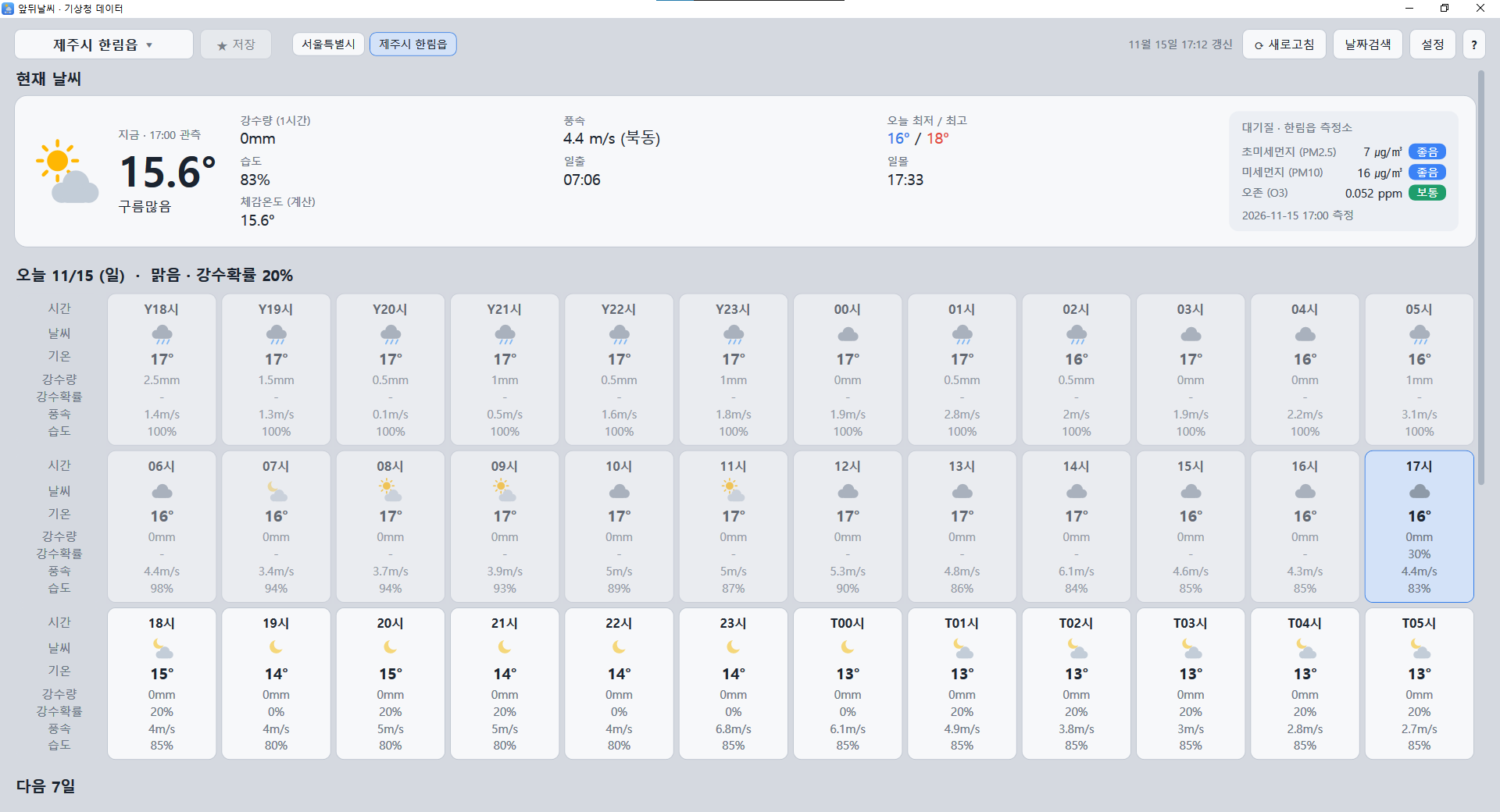
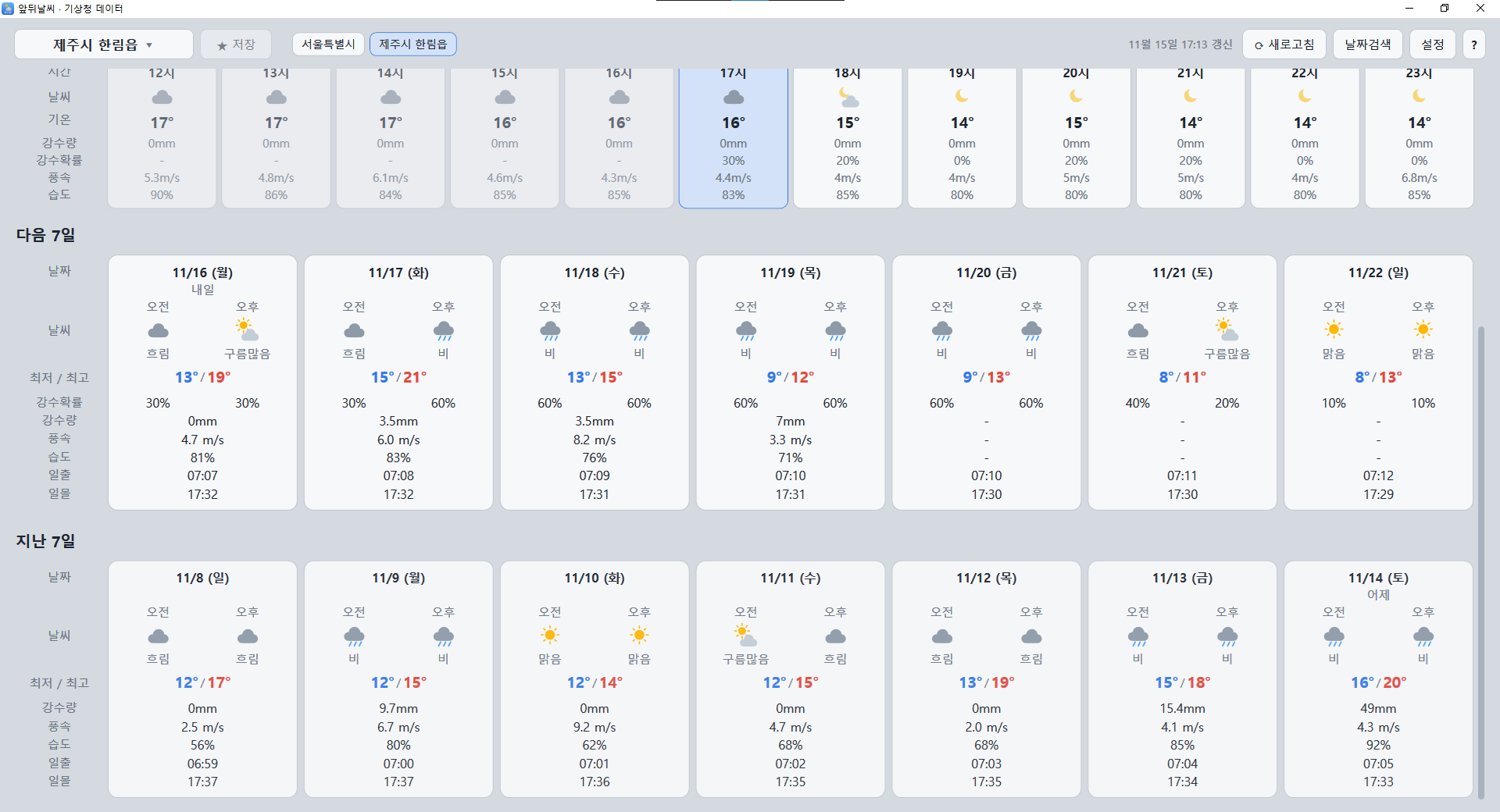
WeatherBoard ("앞뒤날씨" in Korean, meaning "front and back weather") shows the current weather, today's hourly weather, the next 7 days, and the past 7 days, together with fine dust (PM2.5/PM10) and ozone levels, on a single Windows screen.
Screenshots
Scroll sideways and click an image to enlarge it. The screenshots show the Korean interface.
Features
| Current weather | Shows KMA observations updated every 10 minutes, plus a calculated feels-like temperature. |
|---|---|
| Today, hourly | Past hours show observed values; upcoming hours show forecast values. |
| Next 7 days / Past 7 days | Compare the forecast with what the weather was like over the past week, day by day. |
| Air quality | Shows fine dust and ozone levels from the nearest monitoring station. |
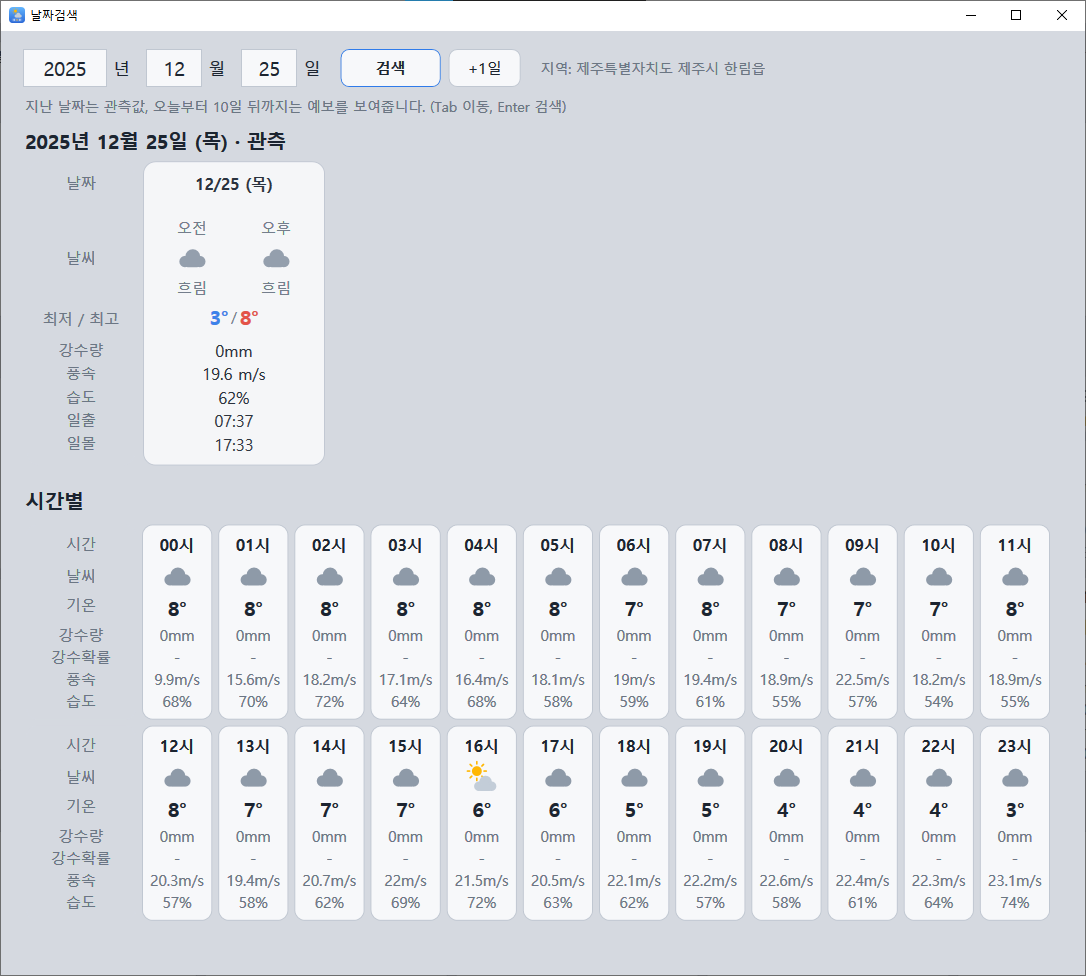
| Date search | Look up the weather for any date: observed values for past dates, forecasts up to 10 days ahead. |
| Sunrise / sunset | Calculated from the location. Icons change to a moon at night. |
How to use
2. Left-click a saved location button to select it, right-click to delete it.
3. Weather is not refreshed automatically. It updates when you start the program, press [Refresh], or change the location.
Keyboard shortcuts
| Main screen | F1 = Help, F2 = Location search, F3 = Date search, F4 = Settings, F5 = Refresh, Ctrl+S = Save current location, Home / End = Jump to top / bottom |
|---|---|
| All windows | Ctrl+W = Close the current window (on the main screen this exits the program), Esc = Close (Help, Date search, Location search) |
Optional: your own API key (faster)
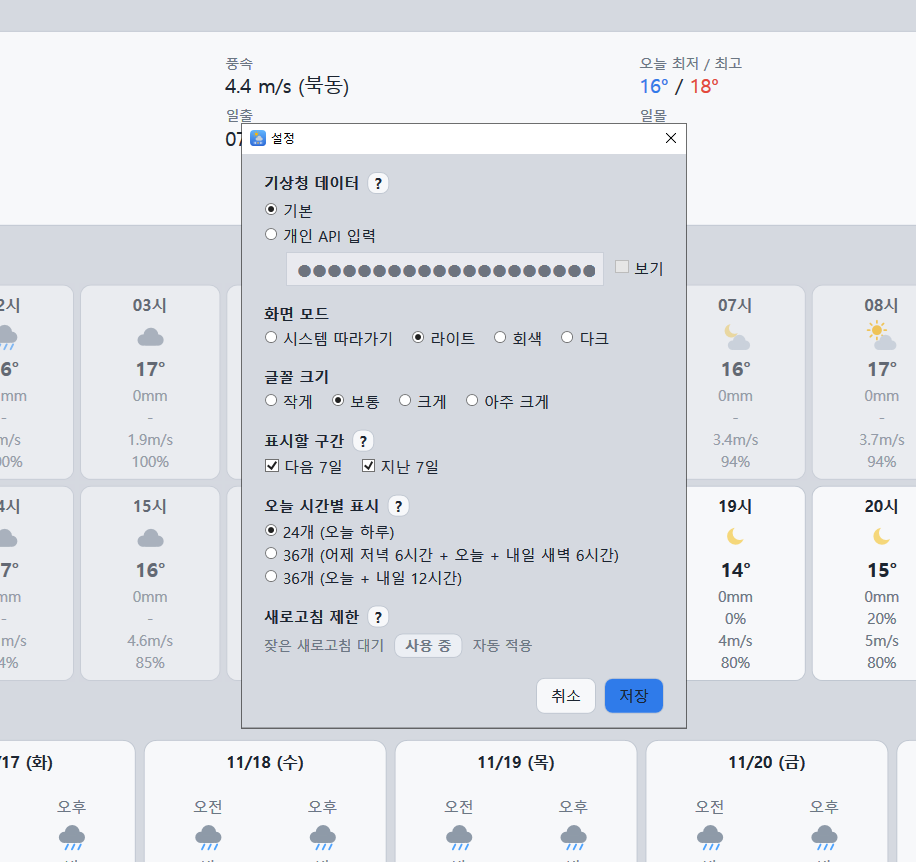
By default the program fetches data through the author's data server, which may be slower, and waits 10 seconds if you refresh more than 5 times a minute. If you use your own key from the Korean Public Data Portal (data.go.kr), data is fetched directly, which is relatively faster with no refresh waiting. Setting it up requires a Korean-language portal account. See the Korean page for step-by-step instructions.
Required services: KMA Short-term Forecast, KMA Mid-term Forecast, KMA ASOS Hourly Data, AirKorea Air Pollution Information, and AirKorea Measuring Station Information. In the program, open Settings, choose "Personal API", and paste your key.
Program information
| Current version | v1.0.87 |
|---|---|
| Requirements | Windows 10 or later (.NET 10 Desktop Runtime required) |
| Price | Free |
| Download | Coming soon |
Sources and notices
This program uses the ASOS hourly data, short-term forecast, and mid-term forecast services published by the Korea Meteorological Administration under Korea Open Government License Type 1 (attribution), and real-time data from AirKorea (Korea Environment Corporation). The data is available from the Public Data Portal (www.data.go.kr).
Some values are aggregated or converted by the program and may differ from values published by KMA. This is an unofficial program, not made by the Korea Meteorological Administration. Sunrise and sunset times are calculated by the program and may differ by about a minute.
Contact
Developer: Eastredwood (Korean name "이스트")
For questions or bug reports, see Support & Contact.